 Asking AI Clearly
Follow-up questions and fixing a poor answer
Last reviewed
The short version
- A first answer is often a draft. Expect to reply.
- Ask for one change at a time, in plain words.
- If the chat goes off track, write one better prompt and start again.
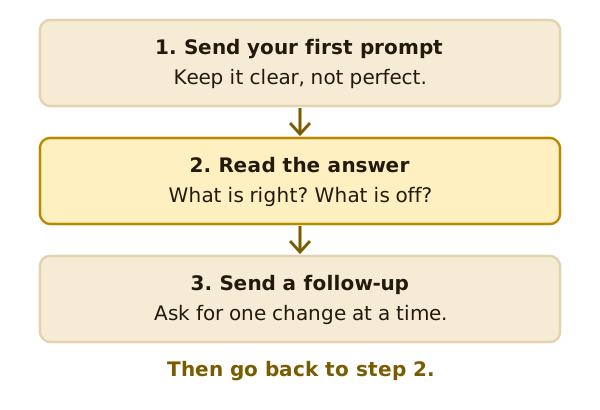
A chat is a back-and-forth
Microsoft says that most likely you'll follow up on the results with another prompt. It tells people to expect some back-and-forth to get the results they're looking for.[1]
A follow-up is just your next message in the same chat.
Say what is wrong
"This isn't right" gives the tool little to work with. Say what to change.
- "Make it shorter."
- "Make it friendlier."
- "Use simpler words."
- "Add a line about our opening hours."
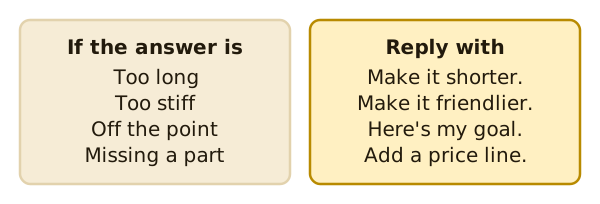
This matches Anthropic's advice. The more precisely you explain what you want, the better the result.[2] That's true for a follow-up as much as a first prompt.
Keep the good parts
A follow-up can say what to keep as well as what to change. "Keep the first paragraph. Rewrite the second one in a warmer tone."
That saves you from losing the part you liked. Name the part you want to keep, so the tool knows to leave it alone.
One change at a time
If you ask for five changes at once, it's hard to tell which one helped. Try one. Read the result. Then ask for the next.
When the format is wrong
Say the format again, clearly. "Put this in a table with two columns." Anthropic advises being specific about the output format and limits you want.[2]
When the answer misses the point
Go back to your goal. Say it in one sentence. "I need a notice for customers, not a note to staff." Then say who it's for.
Often the first prompt left something out. Your follow-up can supply it.
When to start fresh
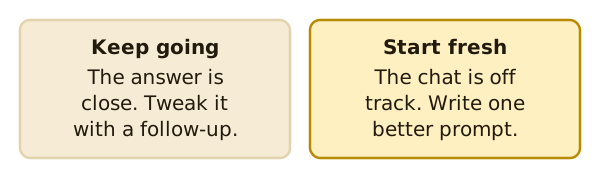
Sometimes a chat wanders. Each fix makes it worse. Then it's better to open a new chat and write one improved prompt using what you learned.
You check the result
The National AI Centre suggests thinking of AI as a junior member of your team.[3] You're still the one in charge. It says you are always accountable.[3] Read the answer before you use it.
What's next
One more thing matters before you paste anything in. Read what not to paste into a prompt.
Sources
- Get started writing prompts in Microsoft Copilot, Microsoft Support (accessed 2026-11-16)
- Prompting best practices, Anthropic (Claude Platform Docs) (accessed 2026-11-16)
- Myths and limitations, National AI Centre (Australian Government) (accessed 2026-11-16)