 Asking AI Clearly
What not to paste into a prompt
Last reviewed
The short version
- Treat an AI chat tool like any other online service.
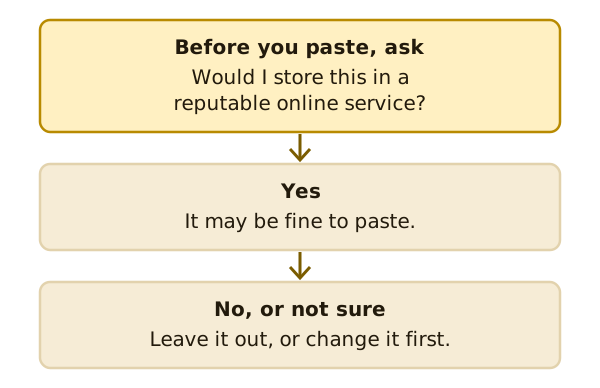
- Before you paste, ask: would I store this in a reputable online service?
- If you aren't sure, leave it out or swap in made-up details.
Why this page exists
Writing a clear prompt often means giving the tool more detail. But not every detail is safe to share. Some belong to your customers. Some belong to your business.
This page isn't legal advice. If you need to know what privacy law says about your business, ask a qualified professional.
A simple test
The National AI Centre says you should treat AI like any other online service, with normal data handling practices.[1] Its test is simple: only enter information you would normally store in a reputable online service.[1]
One example of what can happen
Google publishes a privacy page for its Gemini chat tool. It says human reviewers, including trained reviewers from its service providers, review some of the data it collects.[2] It asks people not to enter confidential information that they wouldn't want a reviewer to see.[2]
That's one company, and rules differ between tools. The point is to read the privacy page for the tool you use.
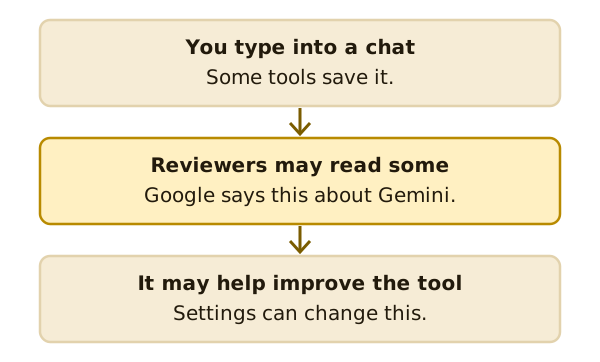
The same page names a setting for this. Turning off the Keep Activity setting stops future chats from being reviewed to improve Google services.[2] Other tools have their own settings, with their own names.
Think twice about these
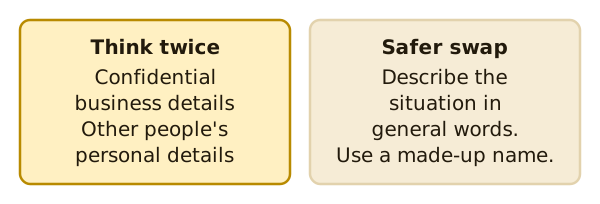
- Confidential business details. Anything you wouldn't want an outsider to read.
- Other people's personal details. A customer's name, address or phone number belongs to them.
Australian guidance lists AI systems unintentionally exposing sensitive information as a risk to plan for.[3]
A safer swap
You can often get a good answer without the real details. Describe the situation in general words. Use a made-up name.
Instead of pasting a customer's complaint, write: "A customer says their order arrived late and damaged. Write a calm reply."
Check before you share
Rules change, and tools differ. Look at the privacy page and settings of your tool. If your business holds personal information, ask a qualified professional what applies to you.
What's next
That's the end of the basics. Come back to the four parts of a prompt whenever you want a quick reminder.
Sources
- Myths and limitations, National AI Centre (Australian Government) (accessed 2026-11-16)
- Gemini Apps Privacy Hub, Google (Gemini Apps Help) (accessed 2026-11-16)
- Guidance for AI adoption: implementation guidance, National AI Centre (Australian Government) (accessed 2026-11-16)